

Prime Day gaming deals drop early: save as much as 50% on Switch, PS5 and gaming PCs
Gears of War: E-Day delivers explosive over-the-top action for Xbox owners
Choosing the right gaming desk matters now more than ever: many players are switching between work, streaming and long gaming sessions at home, and the desk you pick affects comfort, cable chaos and how easy it is to upgrade later. Below are tested, up-to-date options that cover compact setups, full streaming cockpits and highly customizable workstations so you can match a desk to how you actually use your space.
Top pick for an out‑of‑the‑box streaming cockpit
Gears of War: E-Day on PC gets Nvidia RTX Mega Geometry and stunning visual upgrade
Wordle Oct. 3 answer could wipe out streaks: how one tough word is tripping players
Corsair Platform 4 is built to be a complete battlestation from day one. It ships with a robust monitor arm and a large under-desk cable tray, so you won’t be hunting for mounts or routing solutions after setup. The frame uses a dual-motor lift system for smooth height changes, and Corsair’s ownership of Elgato means many streaming accessories slot into the wider ecosystem easily.
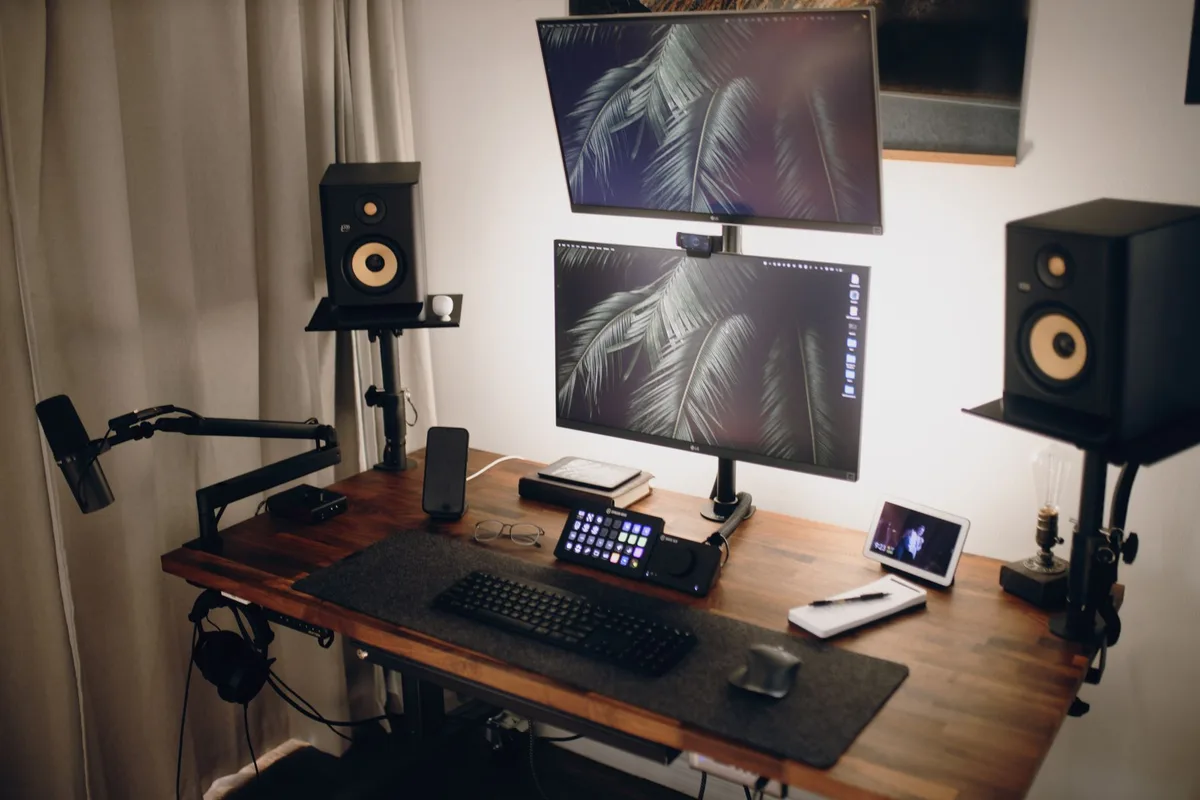
Its strengths: excellent accessory package and strong stability. The trade-offs are a premium price for the full kit and only two saved height presets — enough for most users, but limiting if you prefer fine-grained adjustments. Note: the desk often appears in promotions, so the real cost can vary substantially.
Best for work‑and‑play environments
The Secretlab Magnus Pro blends clean metal construction with practical features aimed at hybrid users. It has an integrated, full-length cable channel and a tidy power solution built into the frame, so a complex multi-monitor or multi-device layout stays organized. Vertical travel is generous, and the desk’s build quality supports heavy setups without wobble.
It’s a higher-end buy, but if you need a desk that feels at home in a professional space as well as a streaming corner, this model hits a useful balance.
Minimal, tidy and functional
The Autonomous SmartDesk 5 prioritizes a low-profile, uncluttered look. Instead of a small cable hatch, it offers a full compartment that flips down to hide cables, a power strip and the control box — a neat solution if you dislike visible wiring. Its C-shaped frame lets you load more weight toward the rear, so heavy ultrawide displays and compact towers perform well.
Size options are limited compared with competitors, so double-check measurements if your room is tight. Pricing sits in the mid-range for electric desks.
A platform that grows with you
Uplift V3 is the choice if customization matters: dozens of desktop finishes, leg styles and modular upgrades let you tailor the desk over time. The base platform is very stable, assembly has been simplified in this generation, and the company’s accessory ecosystem is one of the widest available.
Be mindful that adding upgrades — better keypads, power modules, premium desktop materials — can push the final cost well above the starting price. The upside: a 15‑year warranty and a desk you can incrementally improve.
When you need maximum surface area
If you want to spread out gear across two planes, the Vari L‑Shaped Electric Standing Desk delivers big real estate and a stable platform. It supports many add-ons and has a practical layout for streamers who use speakers, mixers and multiple monitors.
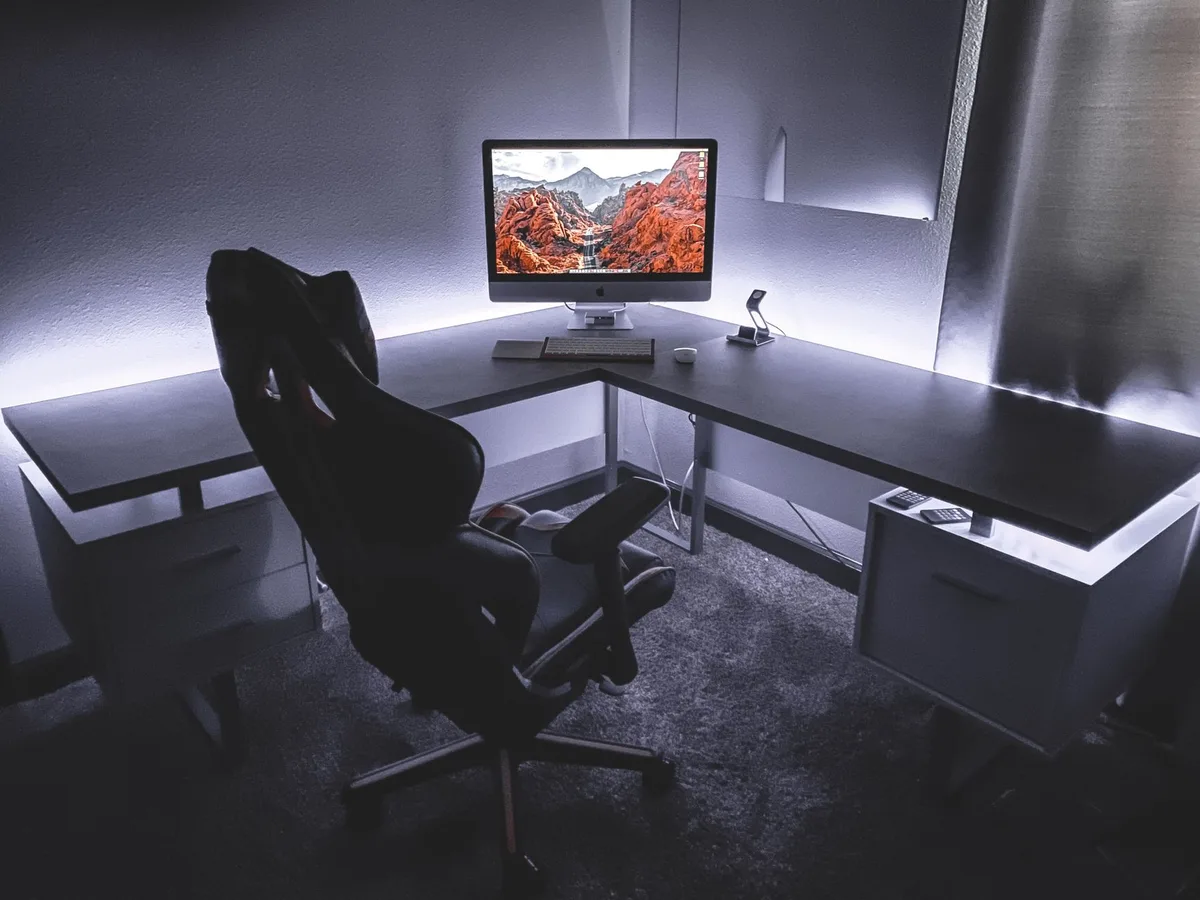
Downsides include heft — it’s heavy to move — and a lower weight rating than some single-surface standing desks, so check component weights before committing.
Small room, big features
The compact Branch Duo Standing Desk is aimed at people with limited floorspace who still want smart controls and a polished look. The frameless tabletop, OLED control paddle and optional drawer make it a tidy option for dorms or apartments.
It sacrifices a few advanced features — only two saved height presets and a control box that can interfere with the cable organizer — but it’s an efficient option for smaller battlestations.
Best for laptop gaming
The LiftSync Clear Plus centers on a tempered‑glass top, integrated charging ports and built-in RGB lighting — a good match for gamers who prefer a laptop-first setup. It’s light on weight capacity, though, so it isn’t ideal if you expect to upgrade to a full desktop workstation.
Glass is easy to clean but can frustrate optical mice unless you add a mousepad. For laptop players who value a slick aesthetic and built-in charging, it’s a strong contender.
| Model | Best for | Standout features | Typical price (approx.) |
|---|---|---|---|
| Corsair Platform 4 | Complete setup / streamers | Included monitor arm, large cable tray, dual-motor lift | $999 (often discounted) |
| Secretlab Magnus Pro | Work + gaming | Full-length cable channel, integrated power, metal build | ~$799 |
| Autonomous SmartDesk 5 | Clutter-free simplicity | Flip-down cable compartment, C-frame stability | ~$599 |
| Uplift V3 | Highly customizable | Wide range of desktop finishes, accessory ecosystem | From ~$599 |
| Vari L‑Shaped | Corner setups / maximum surface | Large L-shaped top, many compatible accessories | ~$1,295 |
| Branch Duo | Small spaces | Frameless design, OLED control, compact sizes | ~$499 |
| LiftSync Clear Plus | Laptop-first gaming | Tempered glass top, built-in USB, RGB lighting | <$500 |
Quick buyer checklist
- Measure your room before ordering — depth and corner clearance matter as much as width.
- Weight capacity: add the weights of monitors, PC, speakers and accessories to ensure the frame can handle your setup.
- Cable management reduces clutter and makes cleaning easier — look for integrated trays or roomy compartments.
- Standing range & presets: if you alternate many times a day, more presets and wider travel are helpful.
- Upgrade path: modular desks allow you to add power grommets, shelves or pegboards later without swapping the whole unit.
FAQs
Do I need built-in cable management?
No, but it saves time and keeps your desk looking finished. Built-in trays or compartments hide power bricks and reduce the tangle of cords — useful if you stream or use multiple devices.
Is an L-shaped desk better for gaming?
It depends. L-shaped tops give more surface area and make corner placement efficient, but they’re bulkier and often more expensive. Choose L-shaped if you need separate zones for audio gear, a mixer or multiple PCs.
Can I use a gaming desk for remote work?
Absolutely. Many desks here are designed for both gaming and productivity. If you spend long hours typing, prioritize ergonomics: adequate desktop depth, monitor height and a reliable standing range.
Are glass tops a problem for mice?
Optical mice can struggle on glass surfaces. If you prefer a tempered-glass desktop, plan to add a high-quality mousepad for consistent tracking.
Bottom line: the best desk is the one that fits your room, supports your gear and matches how you split time between work, streaming and gaming. Pay attention to weight limits and cable management, and watch for seasonal discounts — many premium models appear on sale periodically, which can make a high-end choice much easier to justify.

Annabelle Ink is a gaming journalist and lifelong gamer who lives and breathes video game culture. From console releases to esports tournaments, this dedicated journalist brings insider knowledge and genuine enthusiasm to every review and feature. Her expertise spans multiple gaming platforms, helping readers discover their next favorite game while staying connected to the pulse of the gaming industry.